The platform, in action.
AI Studio is deployed for internal team use - not a public live URL. This page shows a preview recording of the platform and links to the source code on GitHub.
View on GitHubFour capabilities, one interface.
The platform's modular architecture means every tool shares the same panel grammar - tools panel on the left, editor canvas in the center, settings and data on the right.
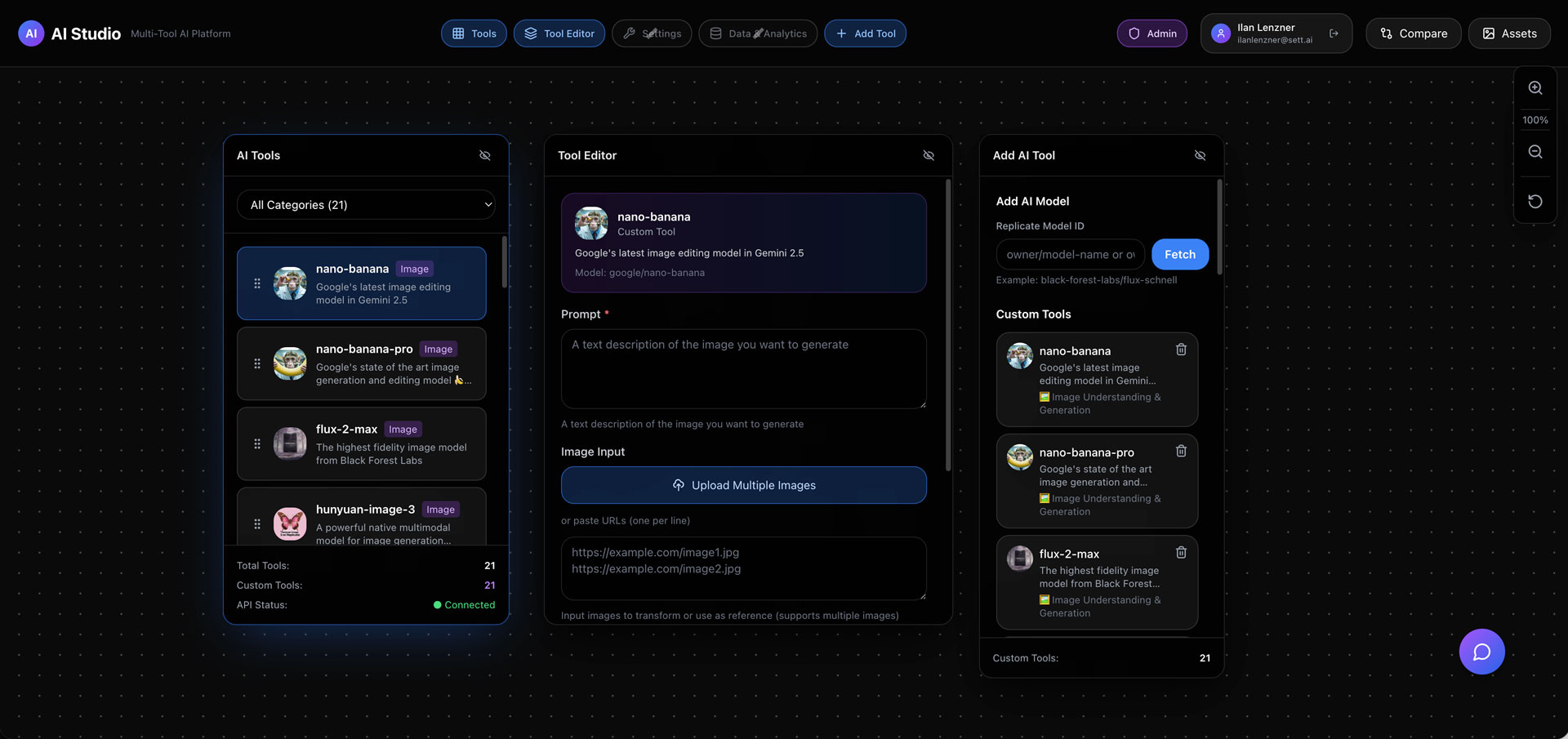
The modular panel layout
Four panels - tools, editor, settings, data - consistent across every capability. Learn the layout once, use it for everything.
FLUX on Replicate
Text-to-image generation via FLUX AI, running on Replicate. Set a prompt, pick a model, run - result appears in the editor panel.
AI background removal
Upload an image, run the model, get back a clean cut-out with the background removed - all within the same panel interface.
The full codebase is on GitHub.
AI Studio is an internal platform deployed for team use, so there's no public live link. The source code - including the modular tool registry, Replicate service layer, and panel architecture - is open on GitHub.